AR on the web is relatively recent. It’s a technical challenge to achieve it using the browser’s native APIs. In 2016, 8th Wall was released, enabling developers to create AR content in the browser, which is supported by over 5 billion mobile devices. While other WebAR platforms exist, it’s the one that we’ve found gets the best results and is most popular with our clients in both the UK and the USA.
As of today, it supports:
- Ground tracking ( SLAM )
- Image tracking for both flat, cylindrical and conical targets
- Location specific content ( VPS )
- Sky segmentation
- Face tracking
- Hand tracking
It is the simplest way to get AR content across to a user, as all they need is to click a link or scan a QR code pointing to a web page in order to view it.
Features / Content
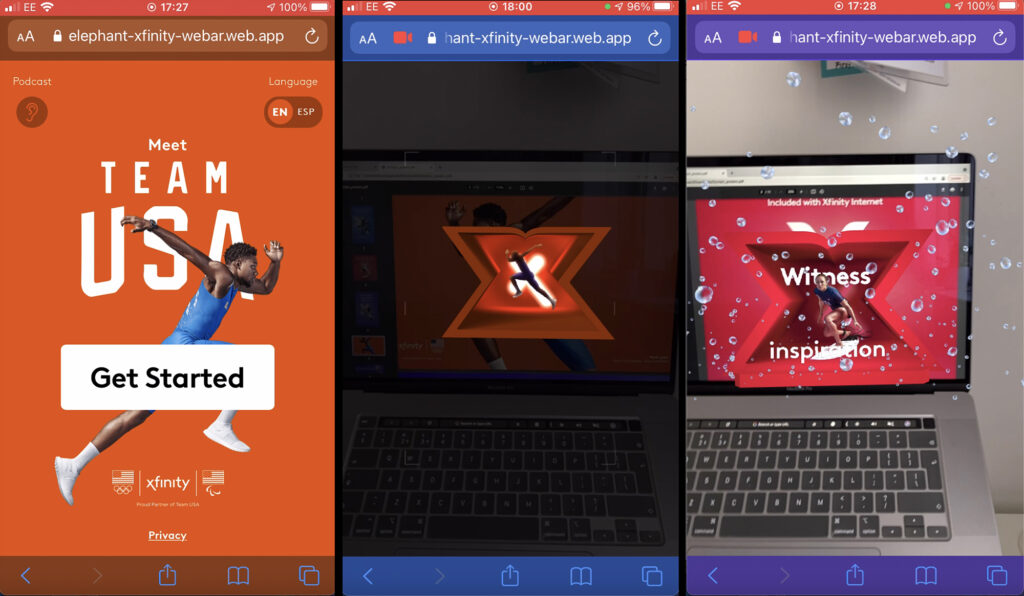
The most popular features for our clients are image tracking and ground tracking. A typical experience will start at a real world location, with the user scanning a QR code to load the AR content, then scanning one or more posters with image targets in order to reveal the associated content.
Some examples of what that content could be, all coded by ourselves:
- Creating a photo opportunity, eg Xfinity Olympics project: scan the poster to bring some athletes into your camera’s virtual space, so you can pose among them and take a picture
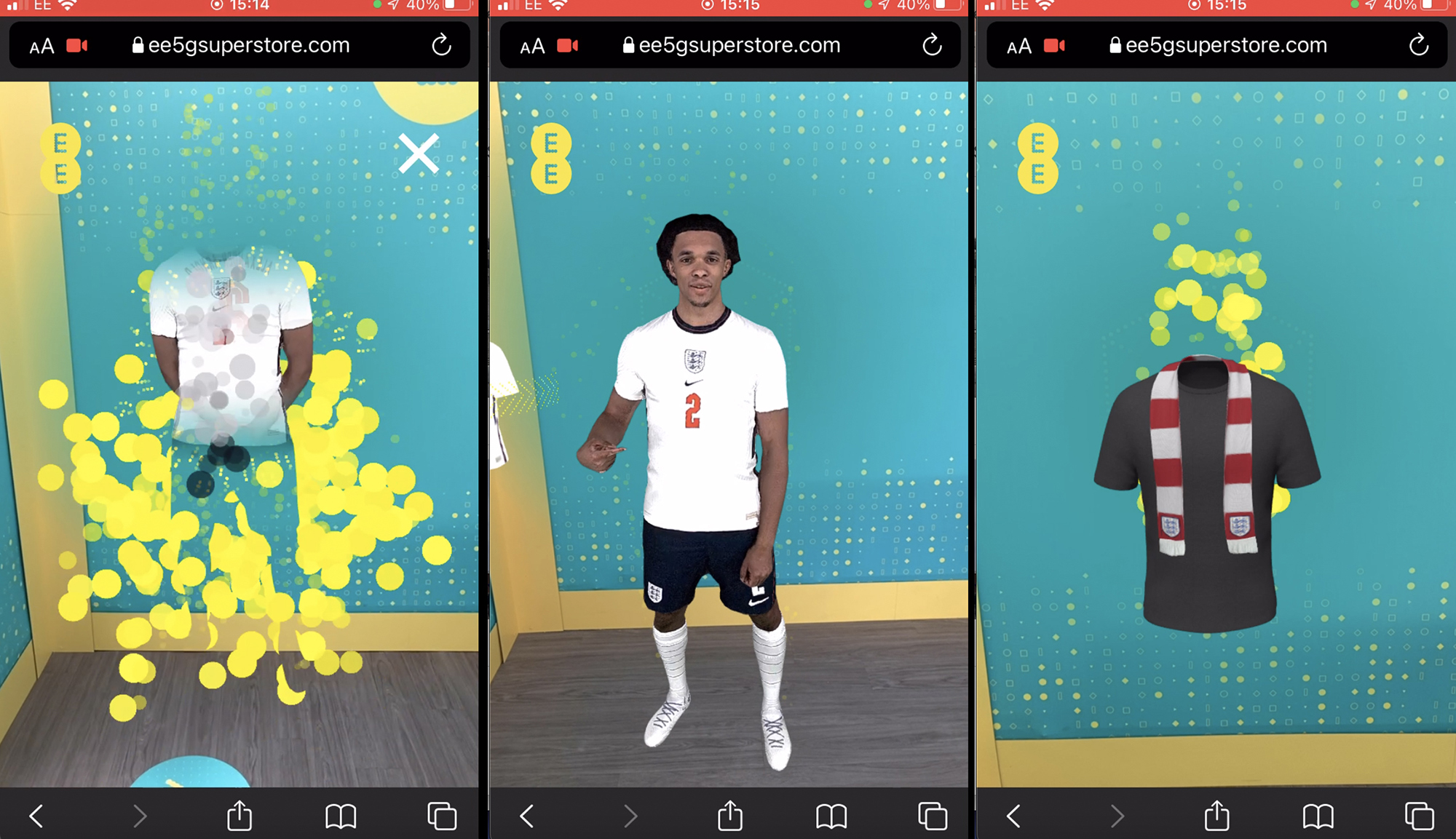
- showcasing a product, eg EE 5G AR Superstore: reveal a product with a nice article animation when scanning the poster, then let the user walk around it and / or pinch and grab their phone screen to rotate it
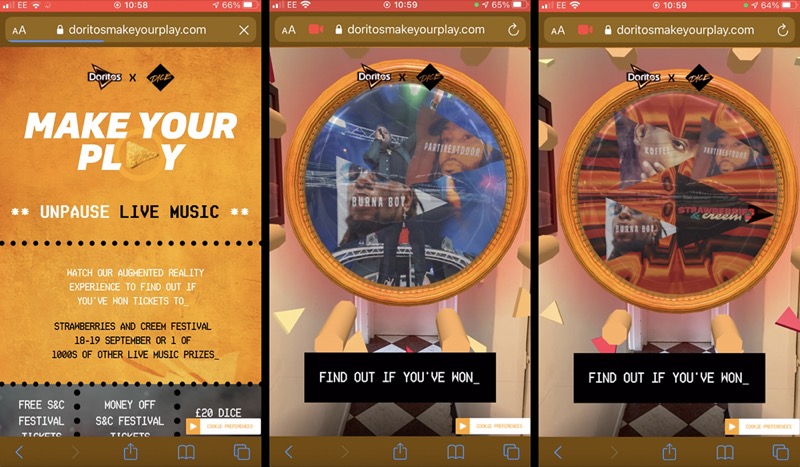
- Show an entertaining animation followed by a call to action at the end, eg Doritos x Dice campaign: a music reactive animation plays before the user can enter their details for a chance to win festival tickets and goodies
- Show an educational animation taking advantage of the AR space to make it more immersive than a film, eg Red Bull Cliff Diving: various animations explain the sport, and put you on top of the cliff so you get an idea of what it feels like to dive from 27 meters height (this triggered my fear of heights, so it’s definitely immersive!)
Ground Tracking
Ground tracking is the other most used feature, often in conjunction with image tracking.
The typical use is to allow a user to tap the ground ( or a table ) on their phone screen in order to position AR content on it.
This is great for product showcases ( we did that for the Ford Mustang ), as 8th Wall now has a ‘real world scale’ feature which means you can show content at a consistent size so that it has the same size as it would in the real world. That way you can check if a car will fit in your garage, or if a pair of sneakers has good proportions.
We’ve also used this feature to position 3D holographic avatars of Trent Alexander Arnold (UK footballer ) for the EE 5G AR superstore, so people could see him speaking in front of them, and take a picture with him.
Location Based Content
Location specific content (VPS) is a recent addition to 8th Wall’s capabilities. After scanning a location, developers get access to a 3D model of that location. When the user visits that location, the 3D model can be precisely positioned on their phone to match the real world features it corresponds to. This opens possibilities for adding 3D content to specific parts of the real world, such as adding a character on top of a building, creating a portal into another universe on the wall of a building… And since we have access to the 3D model, we can occlude 3D content with the real world content to increase immersiveness,eg you could have an animation happen around a statue and you wouldn’t see the parts behind the statue.
The drawback is that the location must be scanned, and since the experience is so strongly tied to it, you will usually need a developper on site to test it and iron out any kinks.
Face And Hand Tracking
Face tracking is something most of us are familiar with, through the multitude of Snapchat / Instagram / Facebook… filters. This is something our clients have less of an interest in.
Hand tracking was recently released on 8th Wall. We hope to soon be able to use it on a project, as it opens a lot of interesting possibilities for user interaction.
Challenges
In today’s world of remote work, it’s quite rare that we meet our clients face to face. However, for a number of AR projects we have gone on to site to make sure any issues are quickly addressed. In all honesty, this is usually more to reassure the client than because it is absolutely necessary.
We usually find that for image tracking experiences ( the bulk of our work so far), the lighting on location can be an issue, as shadows or reflections on image targets can compromise the quality of the tracking. Other factors such as the air temperature can also come into play, as the hotter it gets the harder it is for a phone to perform well. During our recent work on the Red Bull Cliff Diving project, we had a typical case of everything working fine when testing at home with controlled lighting and at standard indoor temperatures. But when we tested on site, the tracking suddenly wouldn’t work! The area was very sunny and the temperature was above 30 degrees Celsisus, so the conditions were much worse than the ones we developed in. But this was easily solved by changing a number from 500 to 2000 in a config file.
Open Source Solutions
There are two noteworthy open source WebAR libraries:
- MindAR: supports image and face tracking
- AR.js: supports image tracking and location based AR (which works differently from 8th Wall’s VPS and is noticeably less precise)
Watch this space, as we are planning on adding demos of these open source libraries soon!
Conclusion
WebAR is a challenging yet rewarding field to work with. It’s a great way to stand out from the competition, and lets you impress and/or educate your audience. It also has more pragmatic uses, allowing you to showcase products to your users within their space.
If you want to find some inspiration, check out the list of 8th Wall client projects here.